Help to search for jobs

How to search for jobs

Search for jobs anytime, day or night. Search by job title, keyword, industry or location.

Start your search

Use the search box on the Find Jobs page to find mahi that suits you.

You can search in three ways:

  1. Job title or keyword – type something like builder or retail.
  2. Industry – pick the kind of work you want to do.
  3. Location – choose the places where you want to work.
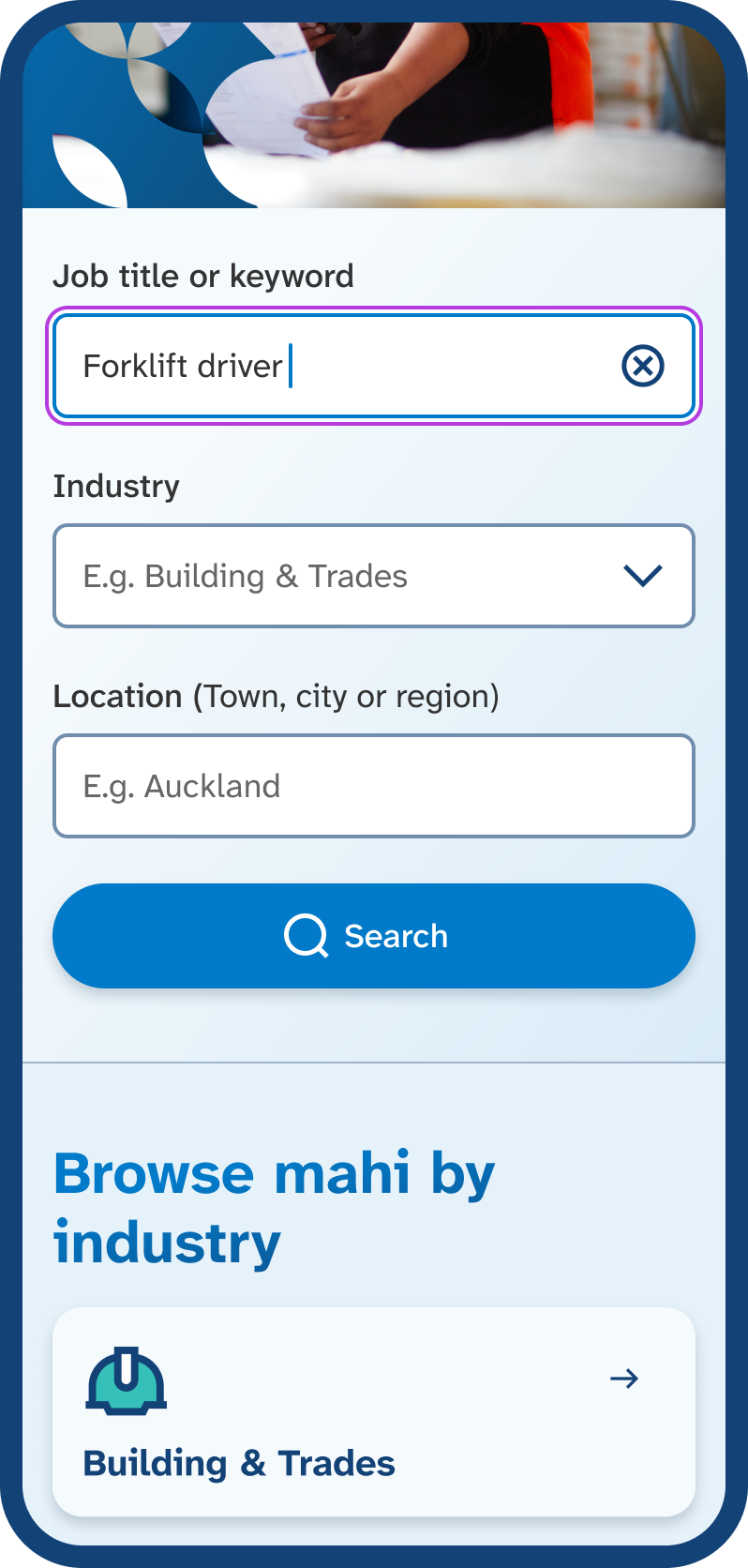
Mobile phone screen with ‘forklift driver’ typed into the job title or keyword field. Enter a job title or keyword, such as Forklift driver, to start your search.
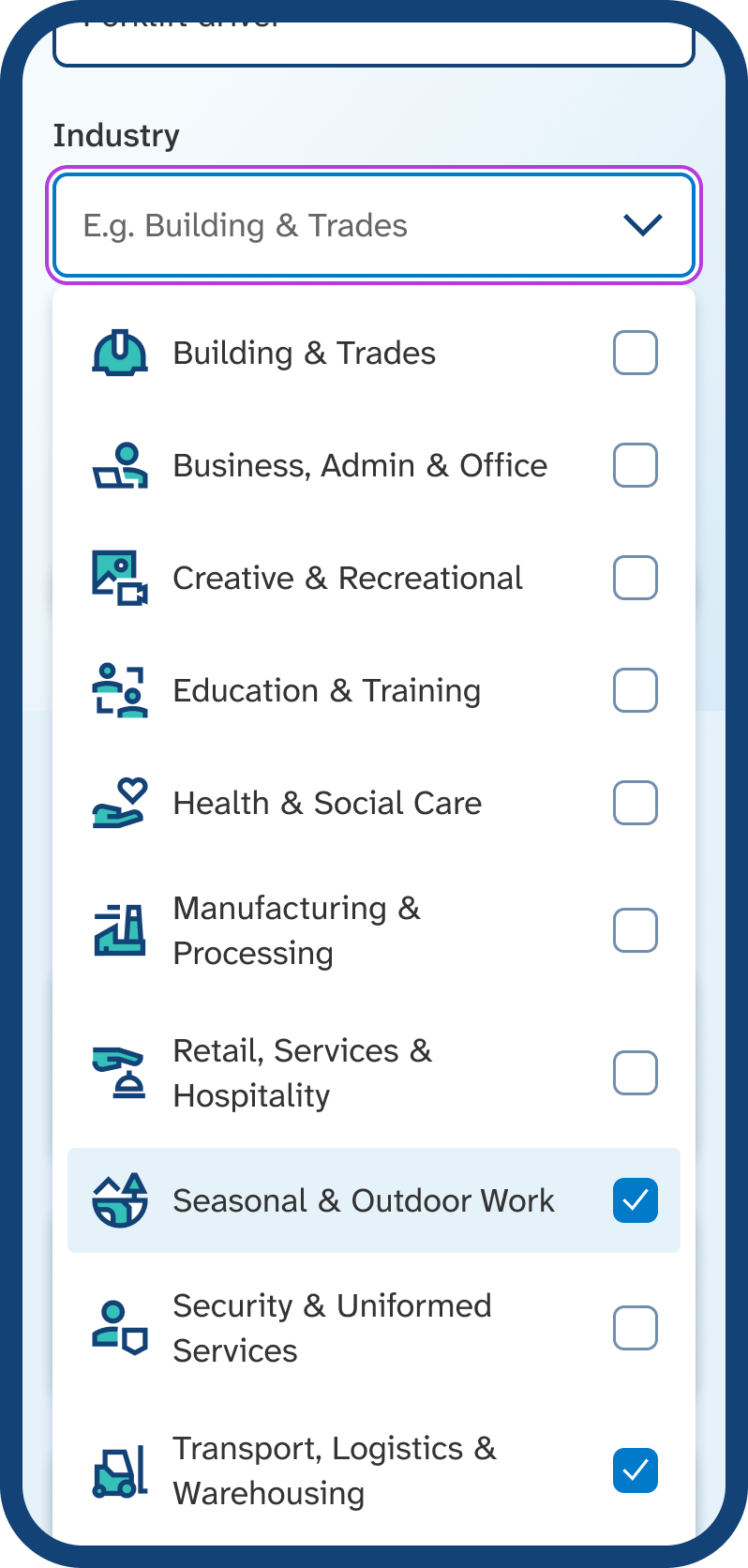
Mobile phone screen showing the industry list with two options selected, ‘seasonal and outdoor work’ and ‘transport, logistics and warehousing’. Choose one or more industries from the list to add them to your search.
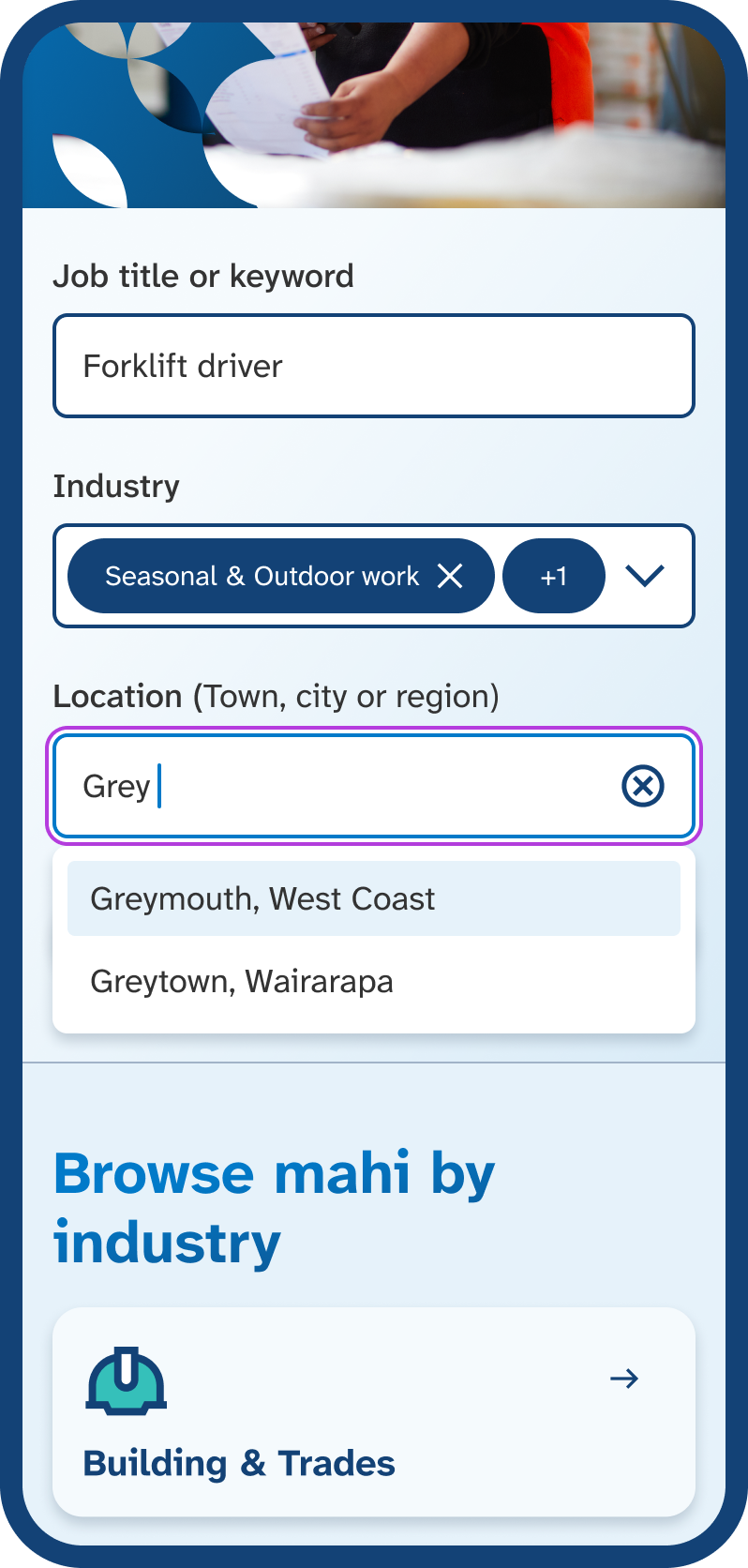
Mobile phone screen with ‘Grey’ typed into the Location field, showing a list of suggested New Zealand locations that start with ‘Grey’. Start typing a town, city, or region, then select a location from the list to add to your search.

What your search results show

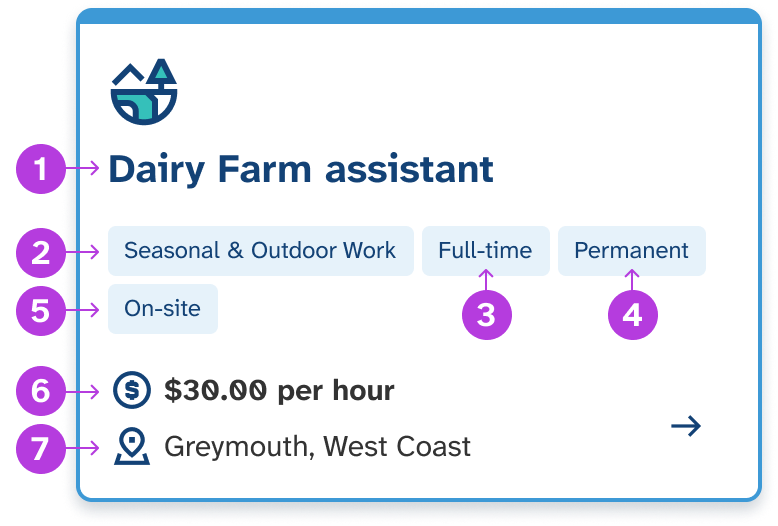
Each search result shows you the:

  1. job title
  2. industry
  3. hours (full-time or part-time)
  4. employment type (permanent, fixed-term, seasonal or casual)
  5. workplace option (on-site, work from home or hybrid)
  6. pay rate
  7. location.

Select a search result to read the full job details.

Diagram of a search result card with numbered markers from the list above to show where each detail is located. See key job details at a glance, then select the job to read more about the role.

Find your next mahi with us, today

Need help? Give the Job Search team a call

0800779009

Open Monday to Friday, 8am to 6pm.

How to contact us if you are deaf, hard of hearing or have a speech impairment