Help to apply for jobs

How to apply for a job

You can apply online anytime. You can also apply for jobs over the phone, with your case manager or at a service centre during our open hours.

Before you apply

To apply for jobs with us you must have the right to work in New Zealand and be logged in. You don’t need a Jobseeker profile to apply for a job on this site.

If you have a Jobseeker profile, check that it is up to date. When you apply, we look at your profile and compare it to what the employer is looking for. It helps us decide who to shortlist.

How to create a CV using your Jobseeker profile

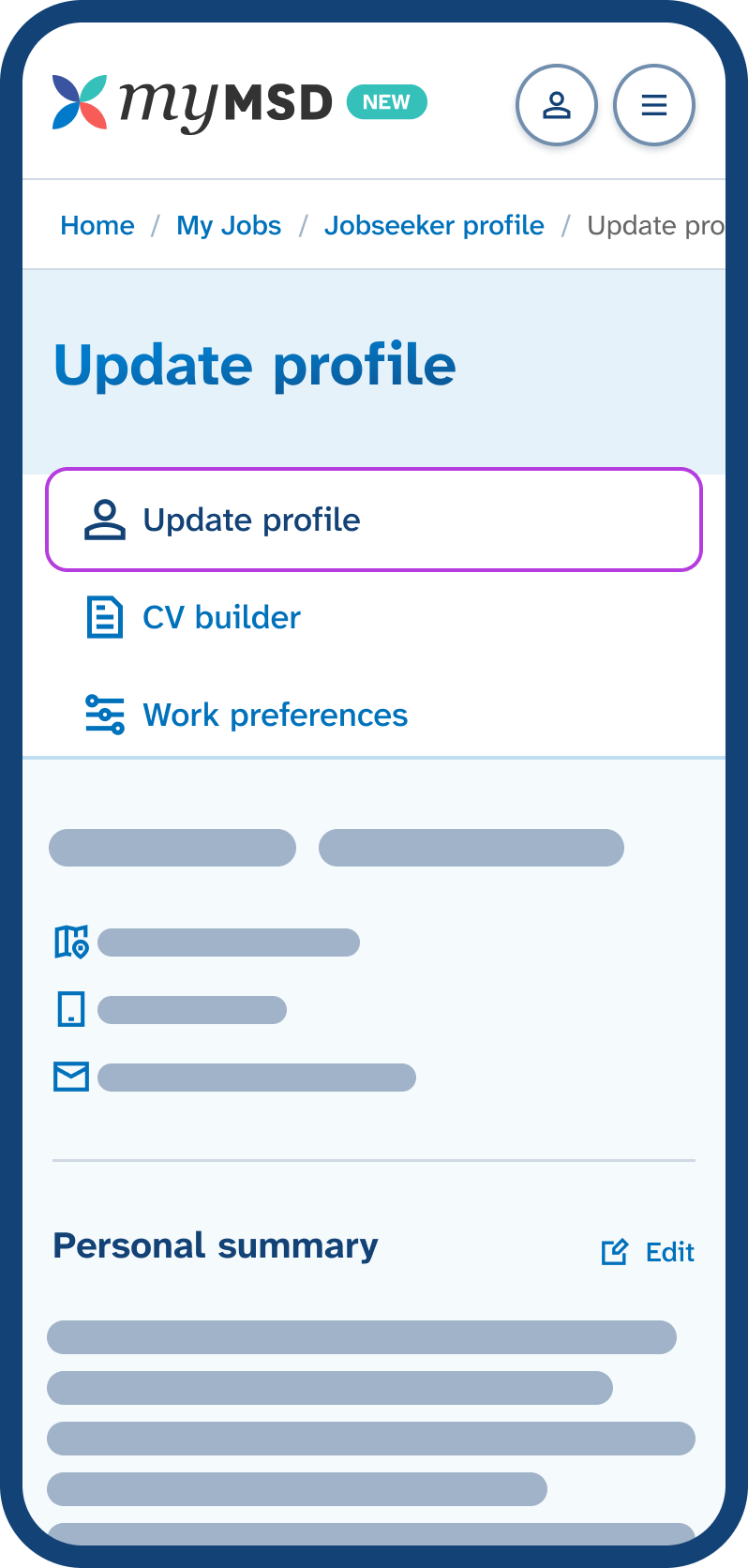
Mobile phone screen showing the Jobseeker profile menu with 'Update profile' tab highlighted, displaying the start of the profile below. Go to Update profile to update your strengths, skills, experience and education.

Apply for a job online

Once you are logged in choose Apply for this job on the job listing. You then see the application form. Below are the steps to complete in the application form.

Step 1: choose a CV

Your CV tells the employer about you, your skills and any experience you have. If you’re shortlisted, the CV you select is sent to the employer.

When you apply, you can choose:

To send us a CV, reply to the confirmation email you receive after you complete your application.

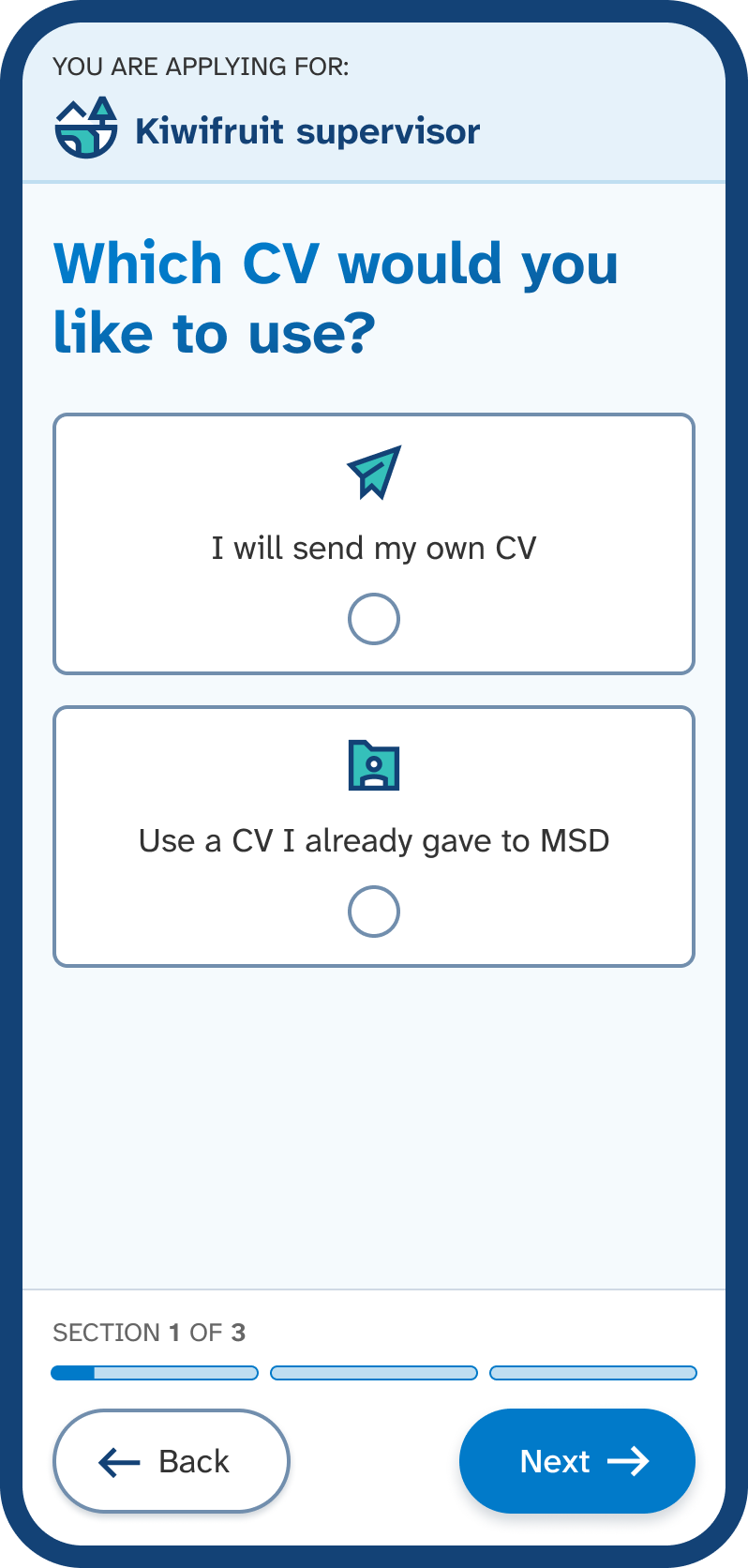
Mobile phone screen showing section 1 to apply, asking 'Which CV would you like to use?' with options for each CV type. Choose the CV you want to send to the employer, then select Next.

Step 2: tell us if you can provide a reference

A reference is someone who can talk about your work, study or character. This could be someone like a boss, tutor, teacher or coach.

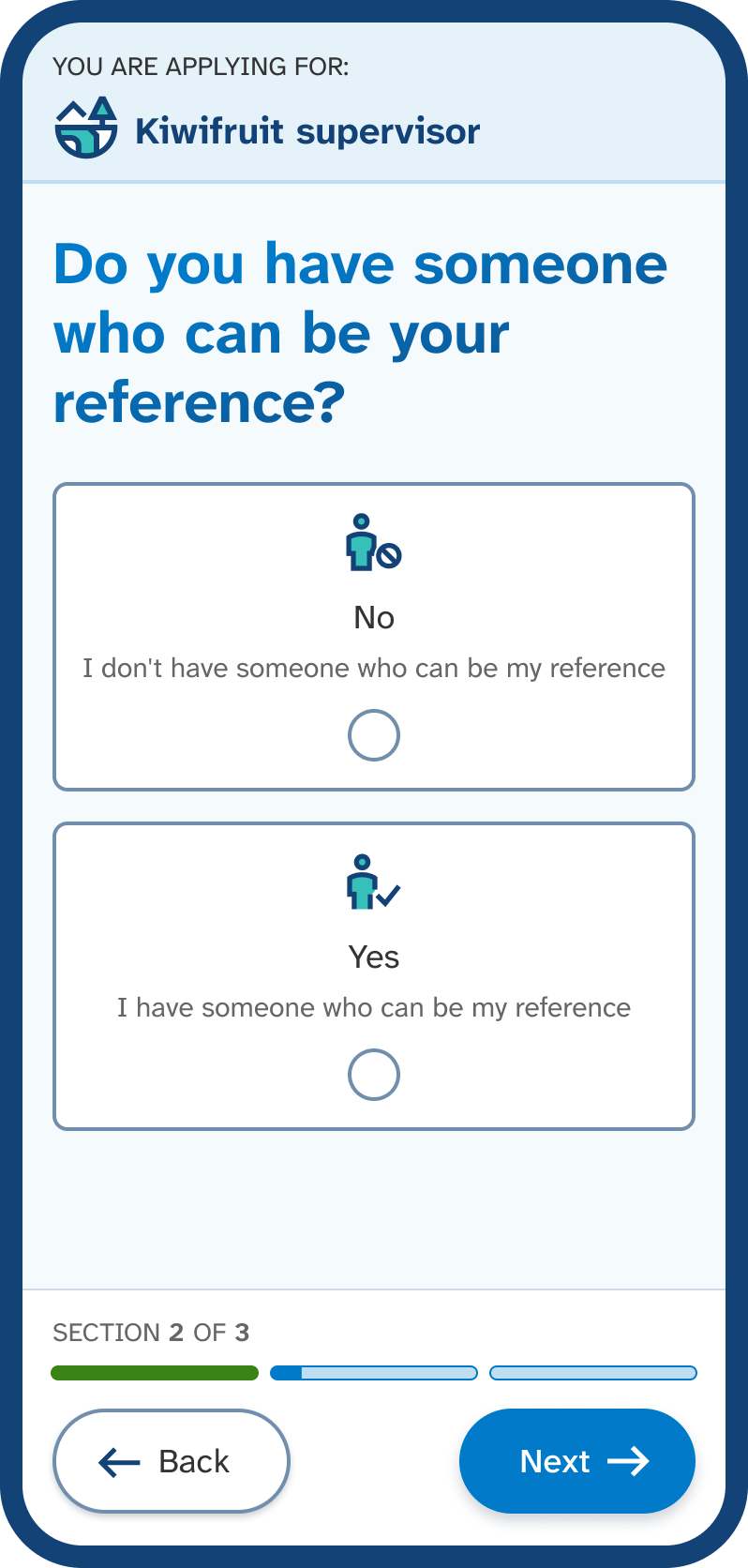
When you apply you do not need to provide your reference’s contact information, you just need to select Yes or No.

If you say yes:

  • you have someone who can be your reference
  • you need their permission to share their details if the employer asks for it.

If you say no:

  • you do not have someone who can be your reference
  • we still encourage you to apply for the role and we can support you to find a reference.
Mobile phone screen showing section 2 to apply, asking 'Do you have someone who can be your reference?' with options for ‘Yes’ or ‘No’. Choose No or Yes to tell us if you can provide a reference, then select Next.

Step 3: review important information before you apply

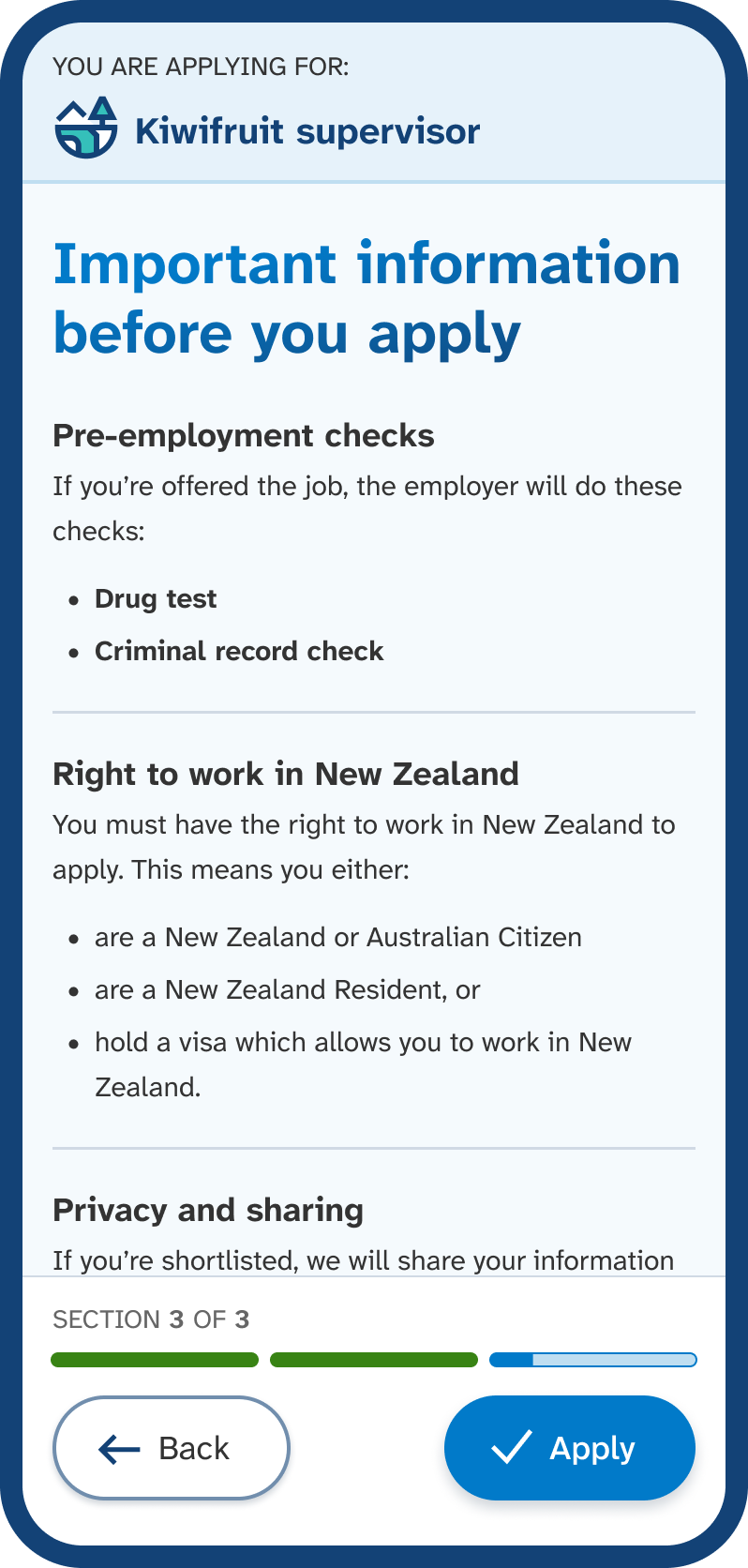
We let you know if the employer needs any pre-employment checks for the mahi. This could include:

  • Drug test – detects drugs in someone’s urine or saliva sample.
  • Ministry of Justice check – checks for official criminal convictions recorded in New Zealand.
  • Children's Worker Safety Check – safety check and police vetting for individuals working with children (under 18) as per the Children's Act 2014 and Vulnerable Children Act 2014.
Mobile phone screen showing section 3 to apply, titled 'Important information before you apply', with sections displaying pre-employment checks required, a statement about right to work, and privacy and sharing information. An example of important information for a role. Check the information, then select Apply.

Apply over the phone

You can apply for a job over the phone by calling the Job Search team between Monday to Friday, 8am to 6pm at 0800 779 009.

To apply over the phone, you need:

  • the Job ID
  • your client number
  • to know which CV you would like to use
  • to know if you can or can’t provide a reference.

Apply at a service centre

You can apply for a job by visiting us at one of our service centres during our open hours.

To apply at a service centre, you need:

  • the Job ID
  • your client number
  • to know which CV you would like to use
  • to know if you can or can’t provide a reference.

Find a service centre | Work and Income

What happens after you apply

Once you complete your application, you receive an email confirming your application and telling you the next steps.

We then review your application. If we think you are suitable for the mahi, we add you to a shortlist. This shortlist is shared with the employer.

Getting shortlisted

If you’re shortlisted, we share your job application and CV with the employer. They get in touch with you if they are interested in interviewing you.

If you’re not shortlisted, we let you know.

How to withdraw a job application

You need to call the Job Search team between Monday to Friday, 8am to 6pm at 0800 779 009.

Before you call, you need your:

  • application ID or Job ID.
  • client number.

To find this information online, follow these steps:

  1. Log in
  2. Go to My Jobs in the menu.
  3. Go to Job applications
  4. Find the job you want to withdraw from.
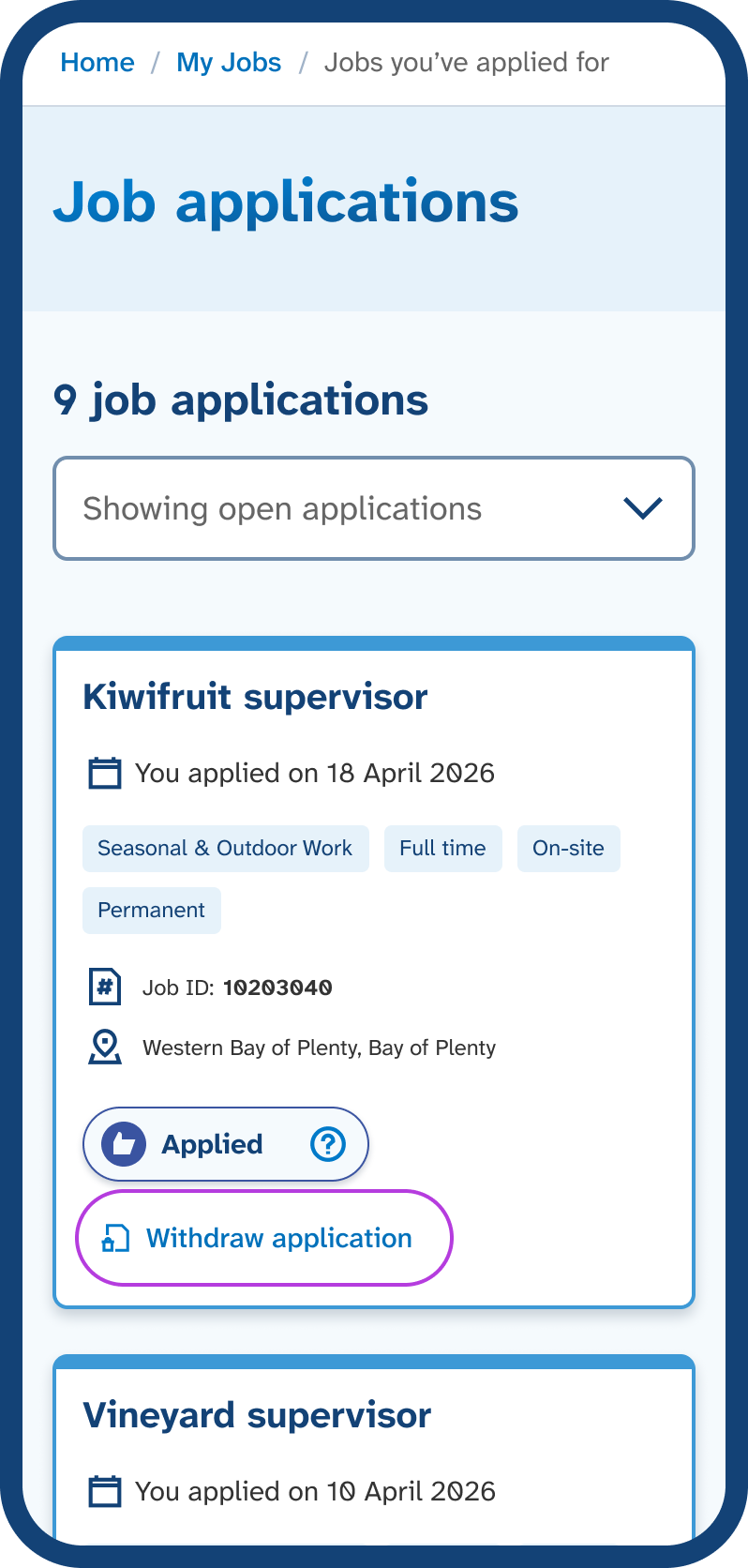
  5. Select Withdraw application.

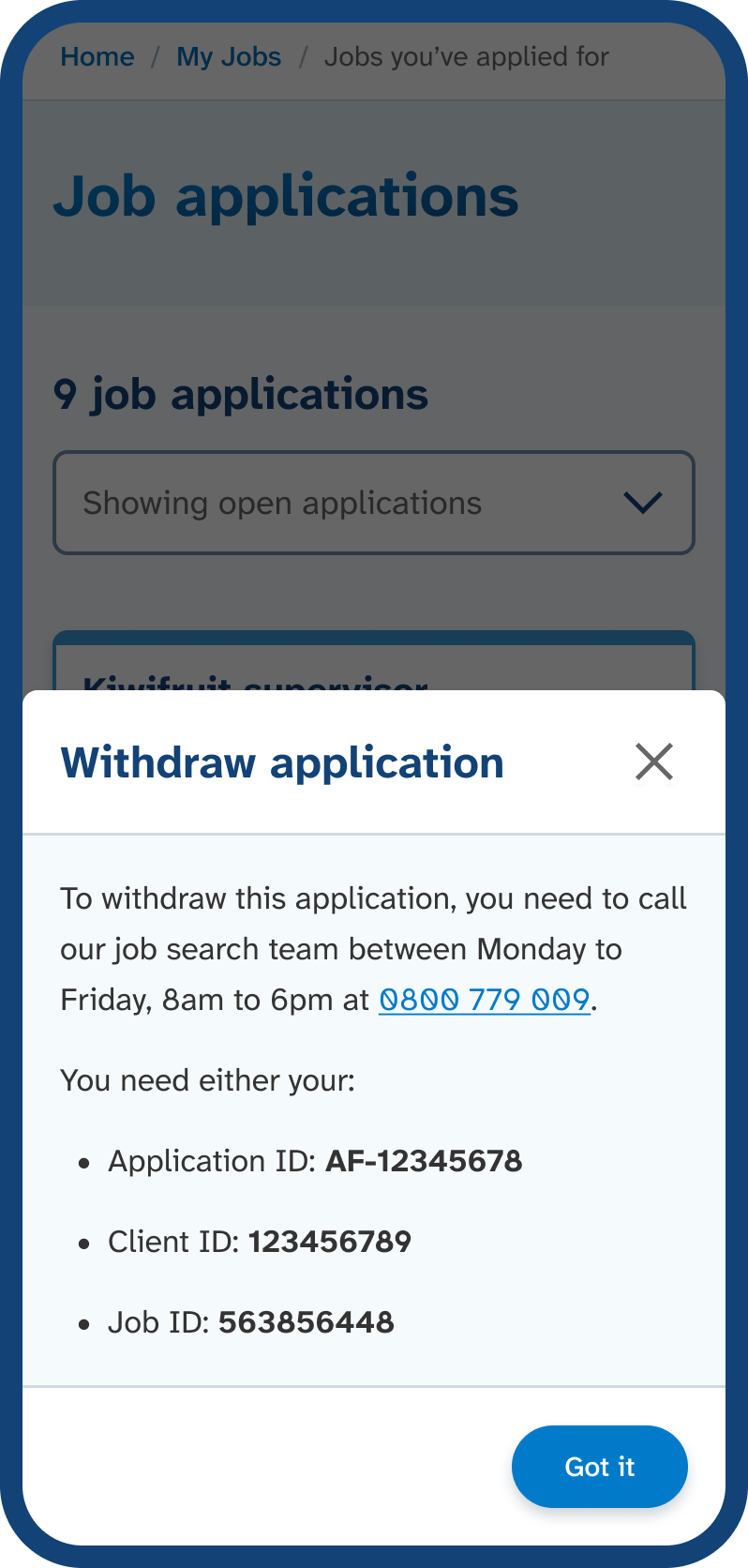
A popup will show you who to call and the information you need to withdraw your application.

When you call us to withdraw your application, we ask you why. We do this because if you have work obligations, you must be available for mahi. You must also take reasonable steps to find suitable mahi. Withdrawing an application may result in an obligation failure, which could affect your benefit.
Mobile phone screen showing the 'Job applications' page, displaying a job card with a Withdraw application button. Go to Job applications and select Withdraw application to get the information you need when you call.
Mobile phone screen showing the Withdraw application popup with the phone number and example Application ID, Client ID, and Job ID. An example of the information we show you to help withdraw your application.

Find your next mahi with us, today

Need help? Give the job search team a call

0800779009

Open Monday to Friday, 8am to 6pm.

How to contact us if you are deaf, hard of hearing or have a speech impairment